# 모바일 앱의 커스텀 대화 제공업체
## 모바일 앱의 커스텀 대화 제공업체
모바일 앱의 대화(Conversations) 탭은 앱 마켓플레이스에서 연동할 수 있는 커스텀 채널을 통한 고객 커뮤니케이션을 지원합니다. 모바일 앱을 사용하여 리드와 고객이 선호하는 모든 채널에서 대화할 수 있어, 더 빠른 응답 시간과 더 많은 계약 성사를 이룰 수 있습니다!
앱 마켓플레이스에서 커스텀 대화 제공업체를 설치하고, 설정(Settings) → 대화 제공업체(Conversation Providers)에서 활성화되었는지 확인하세요.
"커스텀 대화 제공업체"는 에이전시 계정의 앱 마켓플레이스에서 접근할 수 있는 추가 SMS 및 이메일 제공업체를 의미합니다. 이는 Hyperclass에서 기본 지원되는 "네이티브 대화 제공업체"와는 다릅니다(예: 왓츠앱은 기본 지원되므로 마켓플레이스를 통할 필요가 없습니다).
Hyperclass 앱 마켓플레이스용 앱을 개발하고 싶다면 여기에서 시작하세요:
***
## **커스텀 대화 제공업체 설치 방법**
에이전시 계정(Agency Account) → 앱 마켓플레이스(App Marketplace)로 이동하세요. 
앱 마켓플레이스(App Marketplace) → 카테고리(Categories)에서 이메일(Email)을 찾아 클릭하여 필터링하세요. 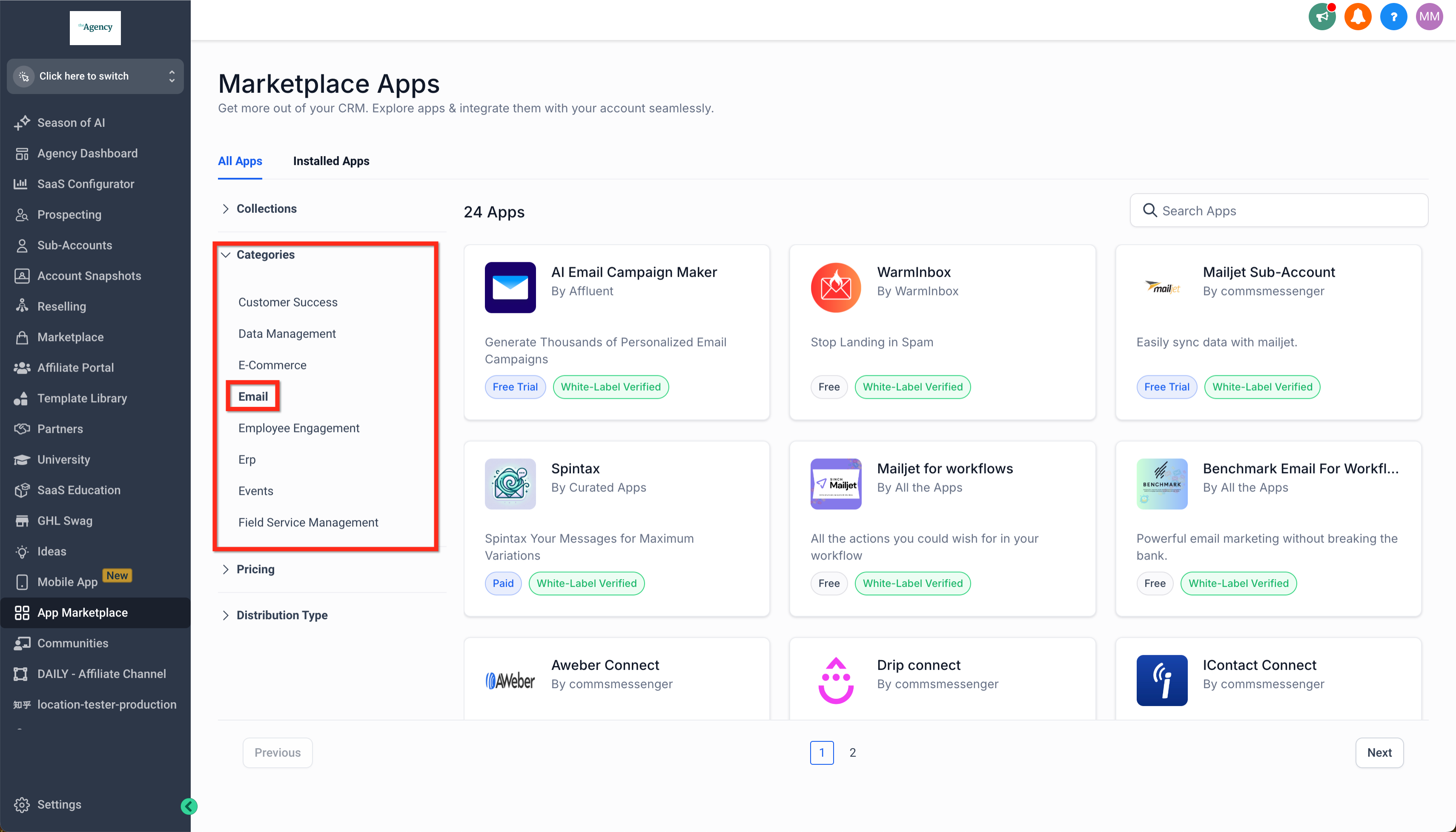
또는 SMS를 찾아 클릭하여 필터링하세요. 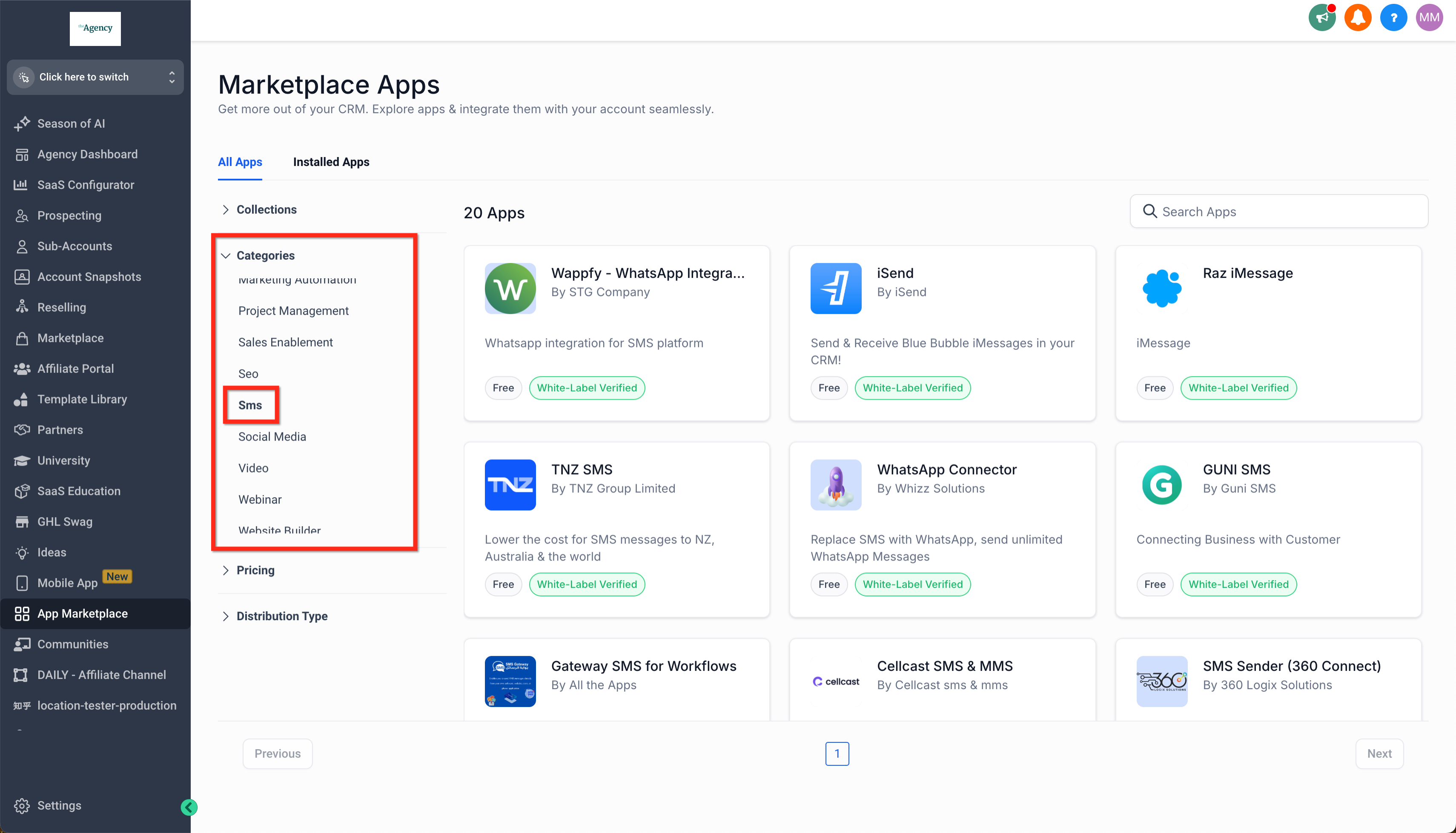
원하는 커스텀 대화 제공업체를 클릭하고 설치(Install)를 클릭하세요. 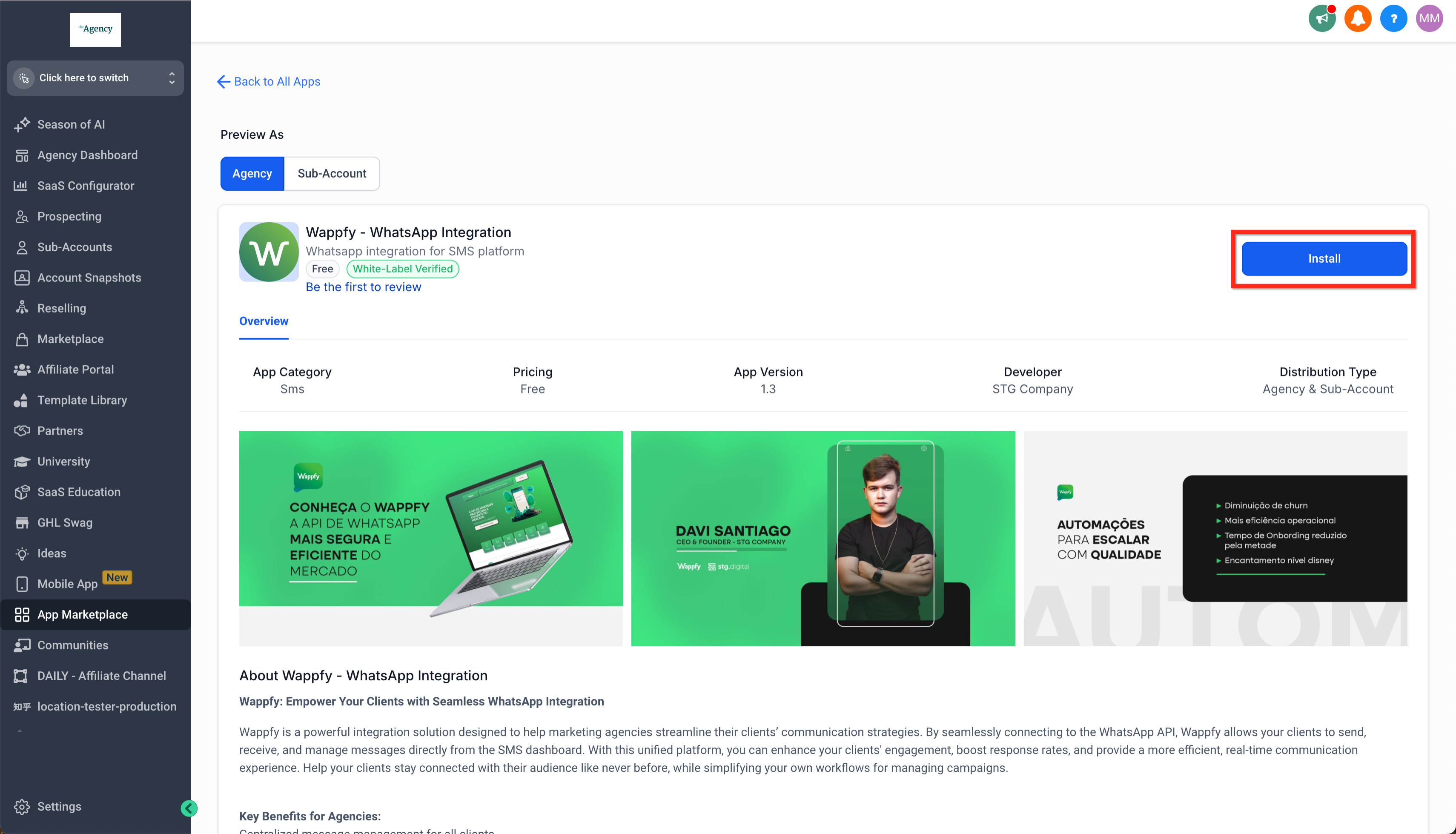
앱을 설치할 하위 계정을 하나 이상 선택하고 계속(Continue)을 클릭하세요. 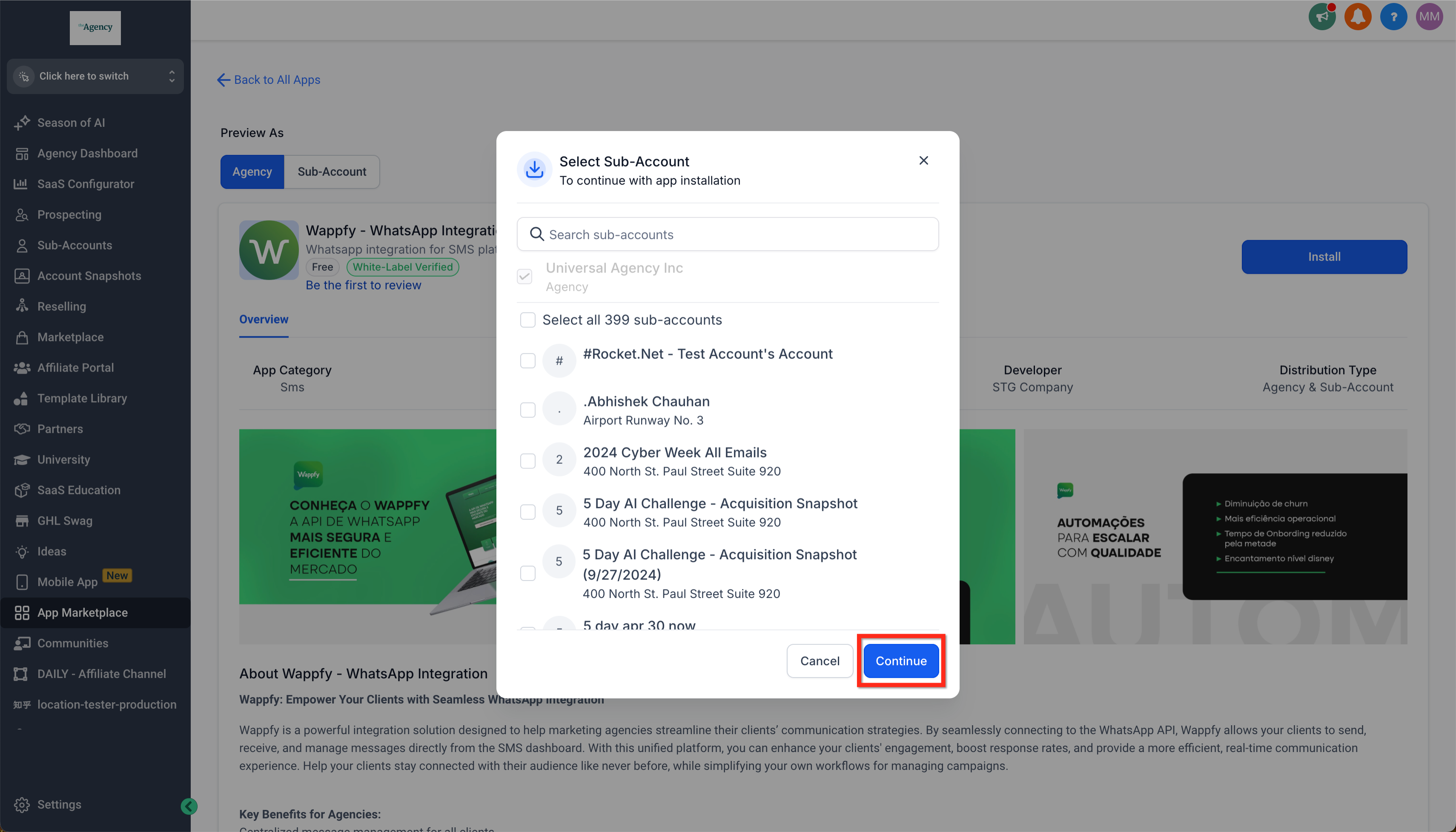
앱 세부 정보를 검토하고 허용 및 설치(Allow & Install)를 클릭하세요. 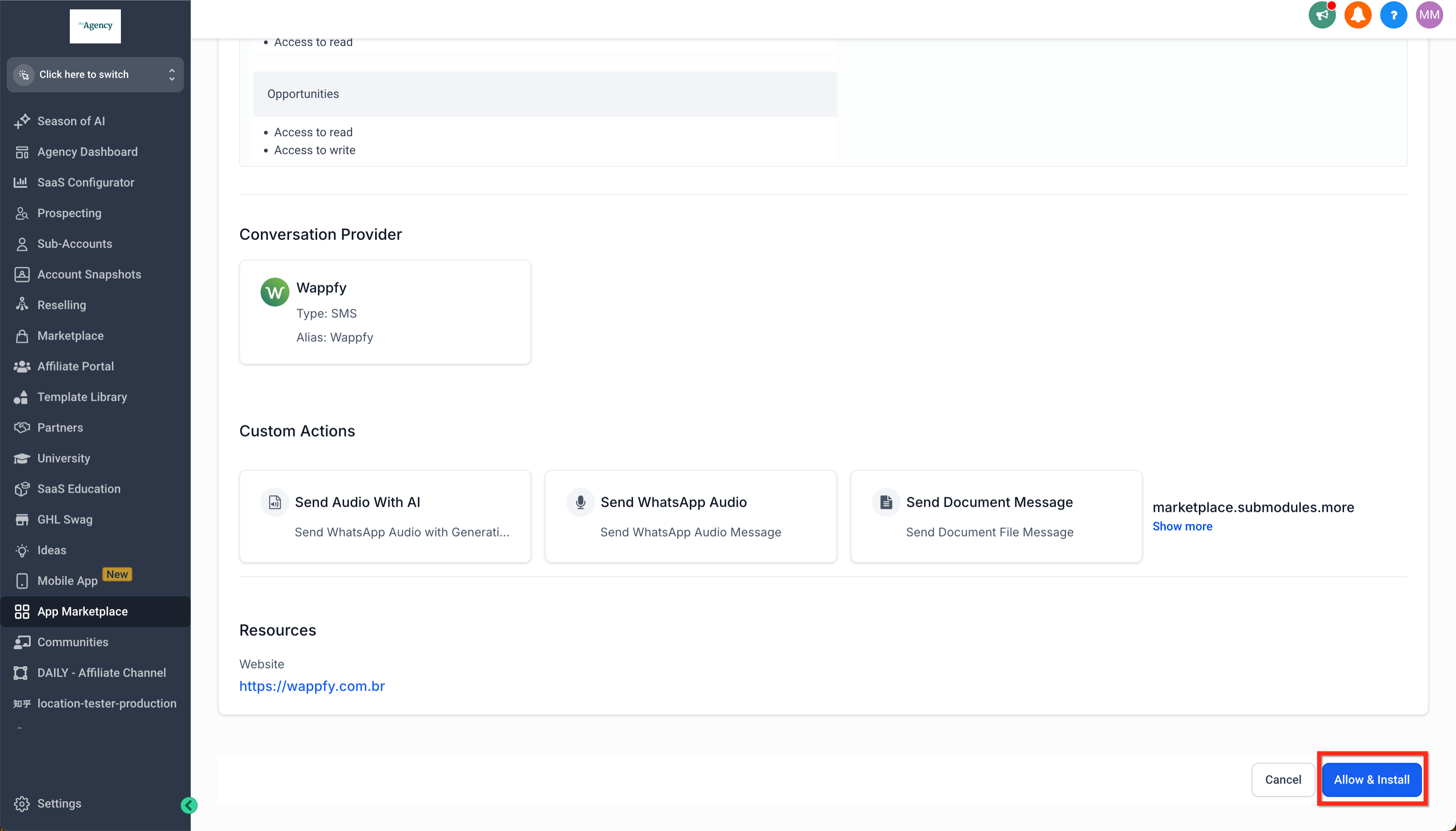
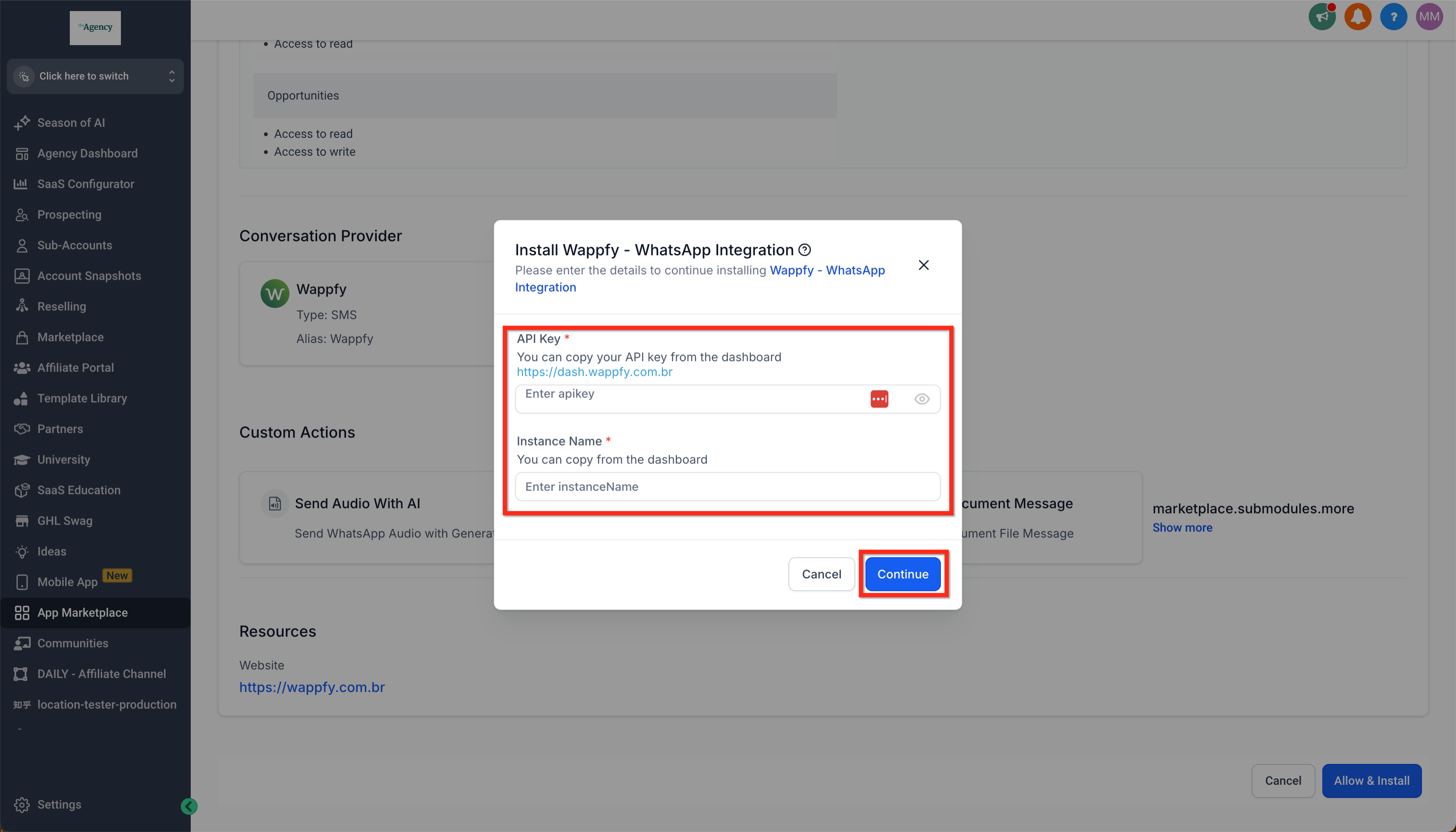
필요에 따라 커스텀 대화 제공업체의 구체적인 지시사항을 따라 연동하세요(예: 해당 서비스의 API 키 획득).
***
## 커스텀 대화 찾기
모바일 앱의 대화(Conversations) 탭에서 커스텀 대화 제공업체를 찾을 수 있습니다. 커스텀 제공업체를 포함한 모든 채널에서 새 대화를 시작하거나, 기존 대화 내에서 다른 채널로 수동 전환할 수 있습니다.
하위 계정(Subaccount) → 설정(Settings) → 대화 제공업체(Conversation Providers)로 이동하여 설치된 커스텀 대화 제공업체를 확인하세요. 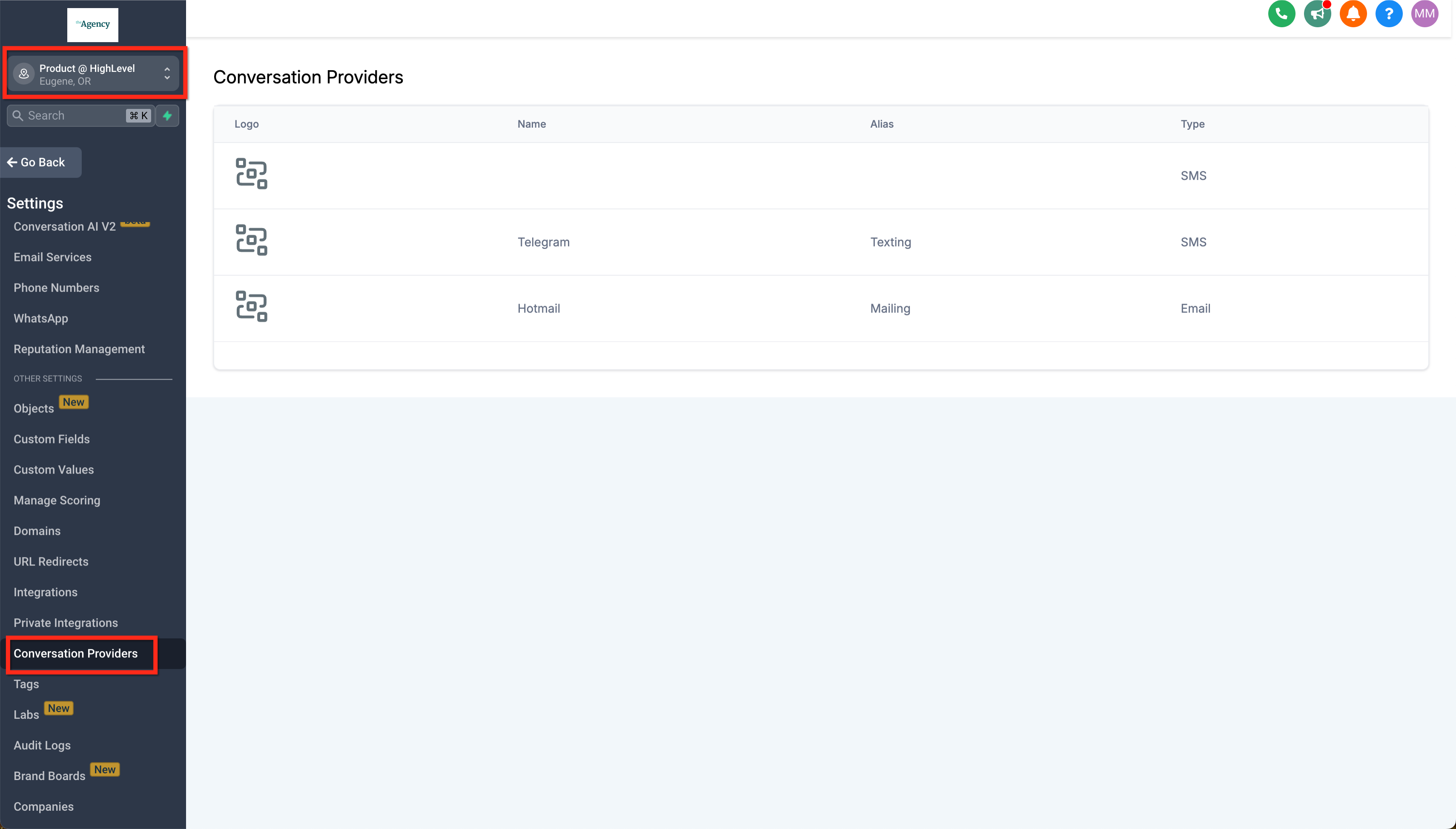
모바일 앱에서 대화(Conversations) → 새로 만들기(New)로 이동하여 옵션을 확인하세요. 커스텀 대화 제공업체가 여기에 표시됩니다. 하나를 선택하여 새 대화를 시작하세요. 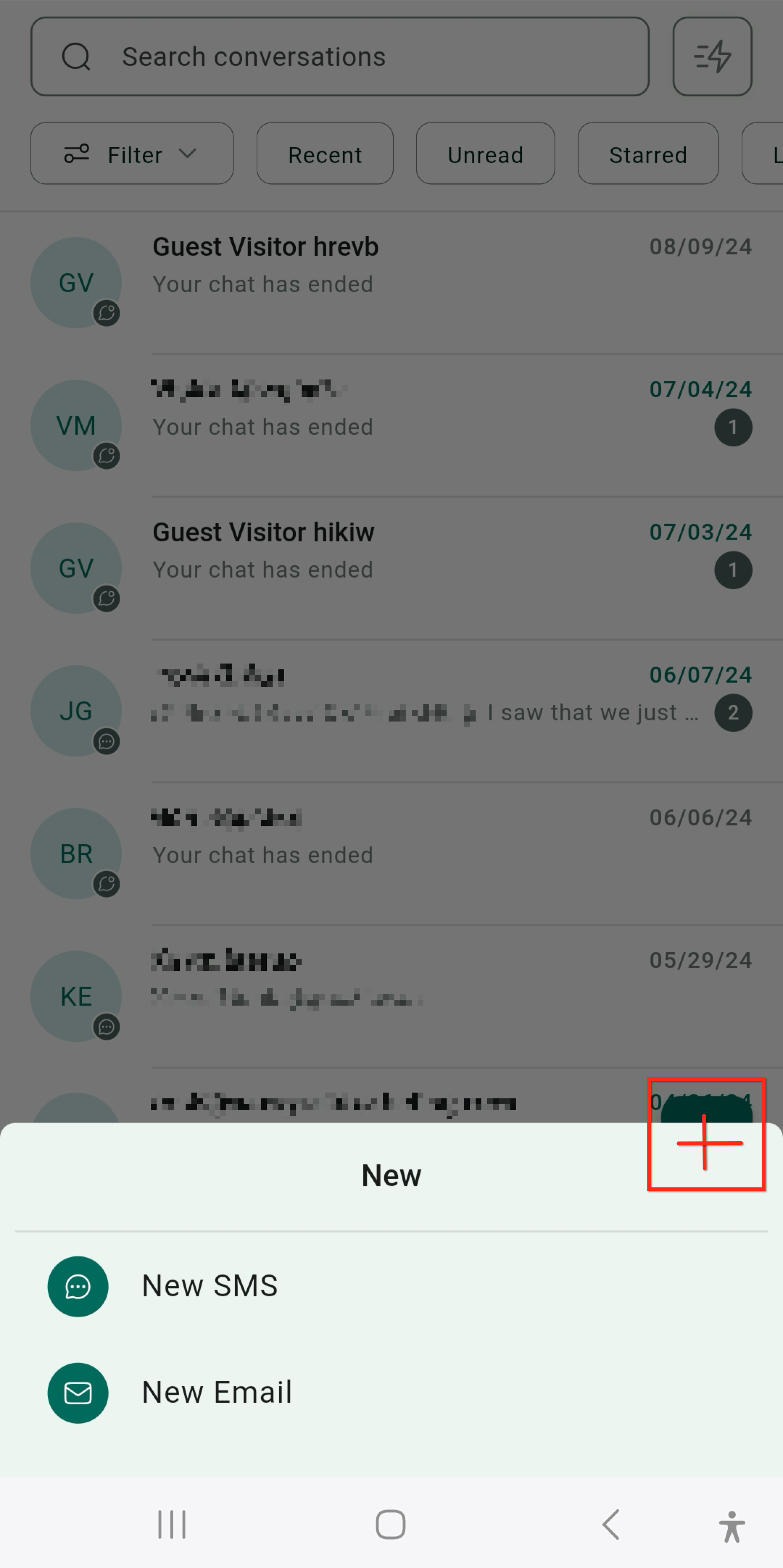
모바일 앱에서는 대화 내에서도 커스텀 대화 제공업체를 포함한 모든 대화 옵션을 찾을 수 있습니다. 새로운 대화 모드를 선택하여 전환하면 됩니다. 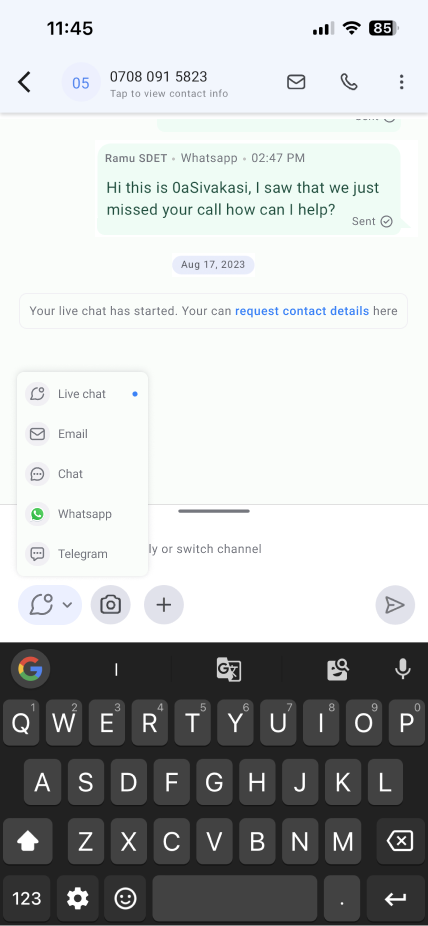
***
*원문 최종 수정: 2024년 11월 15일* *Hyperclass 사용 가이드 — hyperclass.ai*
---
# Agent Instructions: Querying This Documentation
If you need additional information that is not directly available in this page, you can query the documentation dynamically by asking a question.
Perform an HTTP GET request on the current page URL with the `ask` query parameter:
```
GET https://hyperclass.gitbook.io/hyperclass-docs/and/custom-conversation-providers-in-mobile-app.md?ask=
```
The question should be specific, self-contained, and written in natural language.
The response will contain a direct answer to the question and relevant excerpts and sources from the documentation.
Use this mechanism when the answer is not explicitly present in the current page, you need clarification or additional context, or you want to retrieve related documentation sections.